
Pairwise Album Ranker
Web app design and development | Independent side project | 2026
Pairwise Album Ranker is a browser-based tool for answering a deceptively difficult question: how do you rank the albums you love without assigning arbitrary scores or sorting an entire collection at once?
The app breaks that task into small, instinctive decisions. Two albums appear side by side; the listener chooses a strong preference, a slight preference, or a tie. A Bradley–Terry model turns those comparisons into a live ranking, weighting each result by the strength of the albums involved and reporting how much confidence the model has gathered.
Use Pairwise!: https://go.osu.edu/rank-albums






The problem with making a list
Ranking a large music collection is difficult because preference is relative. It is easy to know which of two albums you would rather hear; it is much harder to decide whether an album is an 8.2, where it belongs in a list of 200, or how strongly one result should count.
I designed the tool around the easier judgment. The interface asks for one comparison at a time and preserves nuance through five choices: Strong A, Slight A, Tie, Slight B, and Strong B.
From Instance to Evidence
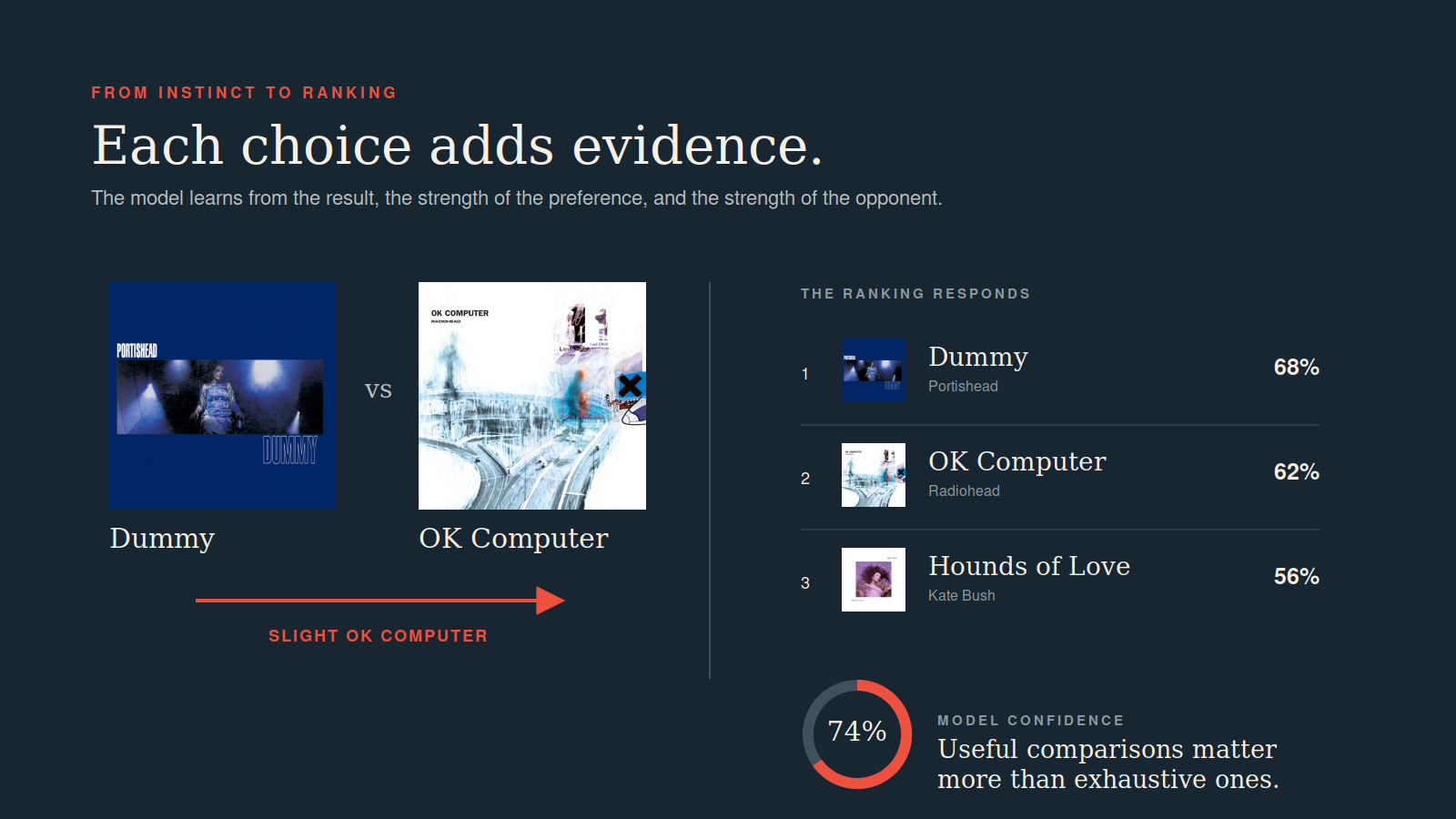
Each choice updates the Bradley–Terry model. Beating a highly ranked album carries more information than beating a weak one, and a strong preference carries more weight than a slight lean. The app recommends useful, close, unseen, or random matchups and reports confidence based on the evidence each album has accumulated—not on the unrealistic goal of comparing every possible pair.
A comparison system that can change pace
The default flow keeps the next choice effortless, but listeners can change how they explore a collection. They can restrict comparisons to one tier or two adjacent tiers, force a single matchup, or anchor one album and rotate opponents around it. The anchor mode is especially useful for placing a new album quickly or reconsidering a favorite in depth.
On mobile, the matchup and five-choice scale stay front and center. Pairing priorities, tier limits, anchor mode, forced matches, and undo are secondary controls that expand only when needed.
A shelf, not just a dataset
Albums can be added through Spotify, public catalog search, a pasted list, a Spotify data export, or data from an earlier version of the tool. Cover art and available listening previews are matched automatically, while manual entries remain authoritative when an album is absent from major streaming catalogs.
The collection can be viewed as a conventional grid or as a row of CD spines. The latter became an important design choice: it makes the underlying dataset feel more like a personal music collection and rewards browsing, hovering, and rediscovery.

Rankings that can travel
Shelves begin as private, device-only data. A listener can publish a cloud copy that anyone can view, then protect editing and continued comparisons with a shelf password. This avoids requiring a full account system while still supporting shared rankings, cross-device use, uploaded artwork, backups, and migration from earlier tools.

What the project became
The project began as a focused experiment in applying pairwise comparison to albums. It grew into a study in balancing a statistical model with an experience that still feels personal: quick enough for instinct, legible enough to trust, and flexible enough to support a collection that changes over time.
The most important design decisions were not additional metrics. They were decisions about pacing and visibility: keeping the comparison primary, explaining confidence without overclaiming certainty, making advanced controls optional, and letting a digital shelf retain some of the physical character of music collecting.